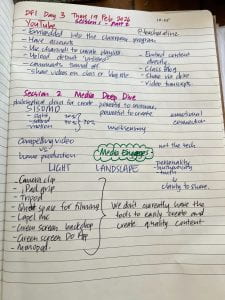
DFI – Day 3 Media and Creativity

Learn + Create = Accelerate

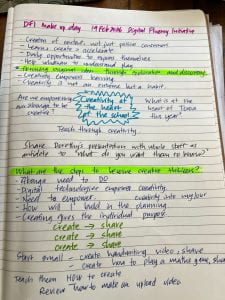
What would learning, classrooms and schools look like if creativity was at the heart of everything we do? Instead of the focus on the Science of Learning and the Science of Reading perhaps we could build learning spaces based on the Science of Creativity. 

I am empowered by Dorothy Burt’s powerful words about creativity’s place in the Manaiakalani pedagogy. I think we need to hold strong in our values of creativity and student empowerment in our practice so that tamariki can form original ideas through exploration and discovery. Do they need knowledge to do this? Yes. But not at the expense of the creativity of our learners.

This DFI session was empowering because of the many ways in which our facilitators enthusiastically shared skills to scaffold children’s creativity in digital spaces such as sharing their learning through videos, using GoogleDrawing and GoogleSlides.

We know that media engages. We know the multisensory media engages and embeds learning more than just sight or sound. And we know that when akonga share their learning and teach others through creativity, they learn the most and that learning is about creative growth and empowerment, not just knowledge transfer.

I think at Te Piki Kahu Wigram we need to look at what barriers we might still have that stop us from upskilling ourselves and our tamariki with digital tools. We need to look at resourcing our spaces with tools to make sharing part of our daily habits. I would suggests we need to look at purchasing tripods and ipad grips for the Junior school, provide quiet places for filming and possibly purchase lapel mics. 

I would also love to support my team by suggesting we bring creativity into our collaborative planning and if we know that digital technologies empower creativity, then what will we do to enable our learners to be creative every day? At Te Piki Kahu Wigram, what are the steps our learners need to take to become creative thinkers? Do we know what this looks like? Do we have a shared understanding and vision of this as a school? I think there is room for growth in this area.

I am excited to continue to teach the use of digital tools such as GoogleDrawings and GoogleSlides as well as review their learning from last year (how to take a good photo, how to take a good video, how to do an audio recording) so they can USE these skills to share their learning. I think we will start small, for example, video themselves playing a new maths game that we can upload to our blog or create a GoogleDrawing about a new spelling rule and build from there.

Digital technologies empower creativity. We need to stand strong in our pedagogy that is ‘driven by a belief in the creative power of the learners themselves…based on the internal and external lives of the children. Dorothy Burt

What are the steps we need to take to become a creative school?
DFI Day 2 – Workflow

DFI Day 2 – Workflow

Reflecting on a learner’s Summer Learning Journey Blogpost with a partner in GoogleMeet.

I chose Albert, Year 3 from Kaniere School. Nita said he’s definitely a hands on learner and you can see that in his learning!

Albert created a cloak made out of nature materials. He spent two days making it out of flax, ferns/bracken, feathers and flowers. He had to figure out how to stop the flax from slipping out the sides of the weaving so he used stickytape. On Day 2 he added ferns/bracken, feathers and flowers into the weaving and made a very lush looking cloak.

The comments supported his thinking by asking what was challenging and a student comment gave positive feedback on his creativity and effort. Albert should be very proud of sharing his learning and hopefully the comments will kickstart some further exploration into weaving and cloakmaking.


I discussed with Nita how this blogging process could be modified for younger or learners earlier on their learning journey. Using an ipad, they could record a video and upload, or record a video and do a separate voiceover. They could use text to talk with support in their blog. They could add some questions for their readers to kickstart their thinking.

We also discussed how we could use strong blogging examples in the classroom to scaffold learners. What makes a strong blogpost? What are the elements or parts of a strong blogpost? You could look at a whole lot of examples and analyse them and create success criteria including how to make a good comment!

Here are some more examples of the Summer Learning Journey Blogposts.

In my professional practice this year, I would like to empower ākonga to share their learning regularly as well as comment on others. I think Year 3s will need the full year to be able to create their own blog post independently. (I’m new to teaching juniors!). To get started, they could add a video to Explain Everything (we will need to do a fair bit of review and refresh in Term 1 first) and do a voiceover, then share with me and we can add to our class blog. Then they can add comments to the class blogpost.

It would be great to discuss with my team what are some non-negotiable skills we want them to have by the end of each term based on last years iPad skills sessions. We can then create a planner with links to essential resources and scaffolding so we don’t feel like we have to make everything from scratch and it’s not on one teacher’s shoulders to create everything and drive the practice. I wonder if GoogleKeep could be a good tool to use for this so we have documentation and resources for the whole time available at any time.

I’m looking forward to sharing my learning with my team!


DFI Day 1

Know your Purpose. Know your Learners. Resource yourself! Be intentional. Keep it Simple!

It was wonderful to be reminded about the beginnings of Manaiakalani and the strength of its growth and impact. I was reminded about Learn, Create, Share and the importance of connecting the learning to parents and whānau. I will have Year 3s and I would love to scaffold their ability to share their learning with a regular, structured sharing practice.

I thought the quote that the tablets, iPads and various laptops and notebooks are replacing the pencil not the book was quite powerful. The pencil is ACTIVE! A lot of our work with junior children using iPads is teaching them how to be active creators not passive consumers.

Another powerful quote that stood out for me was Amie’s reminder to ‘resource yourselves well’. I would like to make this a personal focus for this year supported by a personal reminder that I don’t have to achieve everything at once. One small change at a time that I know well and feel confident using in the classroom because I’ve already done the mahi. This also means that I won’t waste precious learning time. 

My goal will be to have artefacts and resources already made and accessible on the GoogleSite. This will be supported by a very strong start with Kawa of Care and purposeful iPad use. There may have to be quite a lot of learning around this for our cohort of Year 3s. 

I would also like to look at how I manage my workflow and how I can unlearn some old habits and learn some new, more efficient ways of doing things in the Google WorkSpace. For example, organising My Drive so it becomes a useful library that documents my work for example creating purposeful and intentional folders with areas of learning, professional reading and resources where everyhting is linked together. So if I wanted to show all the work I have created for Junior Journals and whole class reading, it’s all in one folder, easy to find and ready to share, be used again or modified.

So, I need to empower myself so I can empower my ākonga who can then share and empower their parents and whānau to take part in their learning. I can empower myself by resourcing myself effectively, being organised and prepared with intentional and purposeful tools based on last year’s learning. Here is my list I will share with my team so we can build learning around these tools and behaviour expectations.

Year 3 Continuation of Learning from Year 2 includes:

  • Kawa of Care Agreement
  • Cybersmart Review
  • Voice Typing for Writing – Expectations for recording (depends on how we set up our space?)
  • Taking Photos
  • Edit Photos in the Photos App
  • Recording
  • Scratch Jr.?
  • Explain Everything – Rules about using Unsplash and videos. Kawa of Care – need to be very firm about learning expectations when creating DLOs. At school, the iPads are NOT for play which includes memes.
  • Octostudio

I really want our new cohort of Year 3s to feel a strong sense of achievement when they use digital tools and create Digital Learning Objects. I think we need to go from good to great and create purposeful, intentional, powerful learning with our ākonga.